Remote and hybrid work stopped being a temporary experiment years ago. For millions of people, the home office is now the most-used room in the house — the place where careers happen, incomes are earned, and eight-plus hours of every weekday are spent. Yet most home offices are afterthoughts: a laptop on the dining table, a desk crammed into a bedroom corner, a “workspace” that slowly colonizes the living room and everyone’s sanity along with it.

A home office that actually works isn’t about expensive furniture or Pinterest aesthetics. It’s about designing a space around how work really happens: the ergonomics that protect your body through long days, the acoustics and boundaries that protect your focus, the lighting that protects your eyes and energy, and the technology infrastructure that keeps you connected without friction. This guide covers all of it — whether you’re converting a spare bedroom, carving space from a living area, or building a dedicated office from scratch.
Location: The Decision That Shapes Everything
Before buying a single piece of furniture, choose where the office lives. The right location solves half your problems in advance; the wrong one creates problems no furniture can fix.
A dedicated room with a door is the gold standard. If you have a spare bedroom, den, or bonus room, claim it. A door you can close is the single most valuable office feature: it contains noise, signals “at work” to household members, enables video calls without choreography, and lets you mentally leave work at day’s end. If you’re choosing between a slightly larger open area and a smaller closable room, take the door.
Natural light matters enormously — with caveats. A window in your office improves mood, energy, and even sleep quality. But position your desk so the window is to your side, not directly in front of or behind you: behind you creates backlighting that turns you into a silhouette on video calls; in front causes screen glare and eye strain. Side light is the sweet spot.
Consider noise in both directions. Your office should be buffered from household noise (kitchens, living rooms, kids’ play areas, street-facing walls), and your work noise (calls, meetings) should be buffered from others. Interior rooms or rooms far from common areas work best. If you’re converting a garage or basement, factor in insulation and climate control — they’re not optional for a full-time workspace.
Think about the background. In the video-call era, what colleagues see behind you matters. A clean wall, bookshelf, or tasteful art reads as professional; a bed, clutter, or bathroom door does not. Choose a location where you can arrange an intentional, tidy background without heroic daily effort.
No spare room? Don’t despair — the rest of this guide covers carving effective offices from shared spaces. But be honest about the trade-offs: a partitioned corner works for focused individual work but struggles with confidential calls and deep concentration in a busy household.
Ergonomics: Your Body Is the Most Important Equipment
You’ll spend roughly 2,000 hours a year in this chair. Ergonomics isn’t a luxury upgrade — it’s the foundation everything else rests on. Get this wrong and you’ll pay in back pain, neck strain, headaches, and lost productivity.
The chair
The chair is the single most important purchase in your office. Look for: adjustable seat height, adjustable lumbar support, adjustable armrests, a seat pan that doesn’t press behind your knees, and breathable material. You don’t need the most expensive chair on the market, but avoid the trap of a stylish-but-unsupportive dining chair or a cheap “gaming” chair with no real ergonomics. If possible, test chairs in person — bodies differ, and reviews can’t tell you what your spine prefers. Budget tip: quality used office chairs from office liquidators offer tremendous value.
Desk height and monitor position
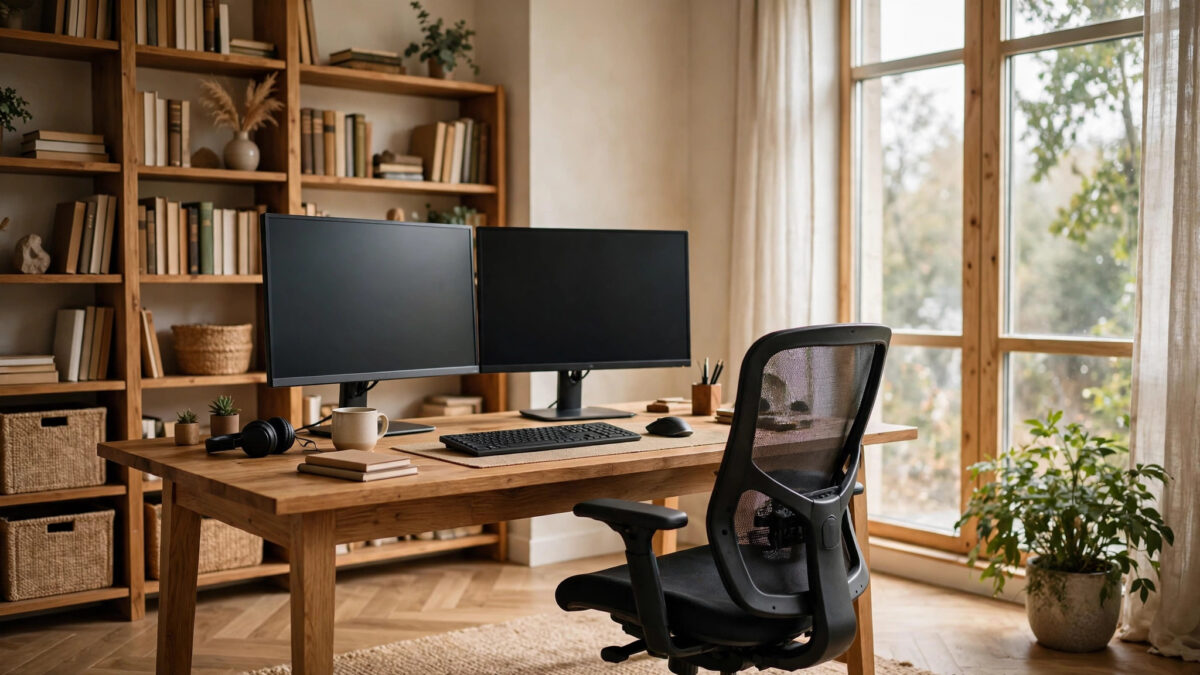
The ergonomic targets: elbows at roughly 90 degrees with forearms parallel to the floor; the top of your monitor at or slightly below eye level, about an arm’s length away; feet flat on the floor (or on a footrest). Standard desks (around 29–30 inches) suit average-height users; if you’re notably taller or shorter, an adjustable-height desk or a desk converter pays for itself in comfort. A monitor arm or stand is a cheap fix for screen height — stacking monitors on books works, but an arm frees desk space and adjusts precisely.
Keyboard, mouse, and the laptop problem
Laptops are ergonomic compromises by design: the screen and keyboard are fixed at the wrong relative positions. If you work full-time on a laptop, the fix is a docking setup: external monitor at eye level, external keyboard and mouse at elbow height, laptop elevated on a stand (or closed, used as the computer). This single change resolves the hunched-laptop posture behind most remote-worker neck pain. Add a separate keyboard and mouse even if you keep the laptop open as a second screen.
Movement
No posture survives eight motionless hours — the best ergonomic setup still needs movement. A sit-stand desk (or converter) lets you alternate positions through the day. Even without one, build movement in: short walks between meetings, stretching, and positioning printers or supplies so you must stand to reach them. Your body was designed for varied positions, not one perfect one held indefinitely.
Lighting: The Underrated Productivity Lever
Bad office lighting causes eye strain, headaches, afternoon energy crashes, and terrible video-call appearance. Good lighting is cheap and transformative.
Maximize daylight first. Position your desk near (not facing into) a window. Daylight regulates your circadian rhythm, improving daytime alertness and nighttime sleep — a genuine performance advantage over cave-like interior offices. If your office lacks windows, a daylight-mimicking lamp (high CRI, adjustable color temperature) is a worthwhile investment.
Layer your artificial light. Overhead lighting alone creates harsh shadows and screen glare. Add a task lamp for desk work (positioned to avoid screen reflections), and consider bias lighting — a light strip behind your monitor — which reduces eye strain during long screen sessions by softening the contrast between the bright screen and dark surroundings.
Light yourself for video calls. A simple ring light or a lamp positioned in front of you (behind the camera) eliminates the shadowy-face problem. This is a $20–$30 fix that dramatically improves how professional you appear in meetings. Avoid overhead-only lighting on calls — it casts unflattering downward shadows.
Control glare. If windows cause screen glare, use blinds, sheer curtains, or reposition the desk. Matte screen protectors help in bright rooms. Your eyes shouldn’t be fighting your environment all day.
Sound: The Focus Frontier
Noise is the most underestimated office problem. Intermittent noise — conversations, television, kids, traffic — destroys concentration far more than steady background hum. Designing for sound pays enormous productivity dividends.
Start with the room. Soft furnishings absorb sound: rugs, curtains, upholstered furniture, and bookshelves full of books all dampen echo and transmission. A bare room with hard floors is an echo chamber; the same room with a rug and curtains is noticeably quieter. If you’re renovating the space, consider acoustic insulation in walls — far cheaper to install during construction than after.
Seal the gaps. Most sound leaks through doors, not walls. A solid-core door (instead of hollow-core) blocks dramatically more sound. Add weatherstripping around the door frame and a door sweep at the bottom — cheap fixes with outsized effects. For calls, this is often the difference between professional and embarrassing.
Use technology as backup. Noise-canceling headphones are essential for shared spaces and useful even in dedicated rooms. For outbound audio, a decent USB microphone or headset beats a laptop mic enormously — your colleagues hear clarity instead of room echo. White noise machines or apps mask intermittent household sounds during focus work.
Set household protocols. The best acoustic treatment fails without human cooperation. Establish clear signals — a closed door means do not disturb except emergencies; shared calendars show meeting times; agreed quiet hours protect deep work. These conversations feel awkward once and pay off daily.
Technology Infrastructure: The Invisible Foundation
A home office lives or dies on connectivity and power. These aren’t glamorous upgrades, but they’re the difference between seamless workdays and daily friction.
Internet: wire it if you can. Wi-Fi is convenient; Ethernet is reliable. If your office is far from the router, consider running an Ethernet cable (through walls during renovation, or along baseboards) or using powerline/mesh solutions. Video calls, large uploads, and VPN connections all benefit enormously from a wired connection’s stability. Also verify your plan’s upload speed — video conferencing is upload-heavy, and many residential plans are lopsided toward download.
Power: plan for everything. Count your devices: computer, monitors, chargers, printer, lamp, router, phone chargers, maybe a space heater or fan. Most home offices need more outlets than the room provides. A quality surge-protecting power strip (or two) is essential; for areas with unreliable power, an uninterruptible power supply (UPS) protects against data loss during outages. If you’re renovating, adding dedicated circuits and extra outlets during construction is cheap compared to retrofitting.
Video call setup. Beyond lighting and microphone: position your camera at eye level (laptop on a stand or external webcam), frame yourself with a little headroom, and test your background. A clean, intentional background — or a subtle virtual one when needed — completes the professional picture. Keep a “call-ready” state as your office’s default, so unexpected meetings never cause panic.
Backup and security. Your home office is now business infrastructure. Use automated cloud backup for important files, keep your router firmware updated, use a VPN if your employer requires it, and consider a separate Wi-Fi network for work devices. A little security hygiene prevents catastrophic data loss.
Small Spaces: Carving an Office From Nothing
No spare room? These approaches create genuinely functional offices in shared spaces.
The closet office (“cloffice”). A reach-in closet with the doors removed fits a desk, shelving above, and task lighting — a complete office in about six square feet. Add a curtain or barn door for visual closure. It’s small but psychologically powerful: closing the curtain ends the workday.
Room dividers and zoning. In a living room or bedroom, use bookshelves, curtains, or folding screens to define the office zone. The visual boundary matters more than you’d expect — it signals “workspace” to both you and others. Orient the desk to face away from the room’s distractions (television, bed) whenever possible.
Fold-away solutions. Wall-mounted drop-leaf desks, Murphy-style desk cabinets, and rolling carts let a workspace disappear after hours — valuable when the office shares a living area. The trade-off is setup/teardown friction; if you’ll resent unfolding it daily, a permanent small desk beats a clever folding one you never deploy.
Under-stair and nook spaces. Awkward architectural leftovers — under stairs, hallway nooks, wide landings — often fit a compact desk perfectly. These spaces feel intentional rather than cramped when given proper lighting and a defined purpose.
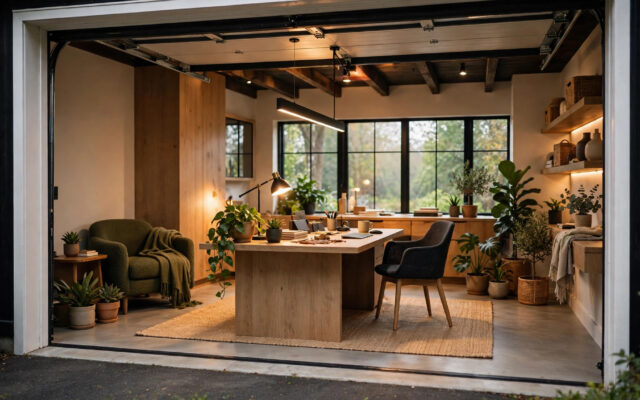
The garage or shed conversion. For a truly separate office, insulated garden offices and converted garages are increasingly popular. They’re bigger projects — requiring insulation, climate control, electrical, and sometimes permits — but they deliver the ultimate work-life boundary: a commute of thirty steps. Check local zoning and permit requirements before building.
Budgeting Your Home Office: What to Spend and What to Save
A functional home office can be built at almost any budget — but spend in the right order.
Spend on: the chair (your body, 2,000 hours/year), adequate lighting, and reliable internet. These directly affect health and productivity daily. A monitor arm, external keyboard/mouse, and laptop stand are high-value cheap fixes.
Save on: the desk itself (a solid used desk or even a sturdy table works fine at the right height), decor (add gradually), and premium versions of things that don’t affect function. Cable management is nearly free (velcro ties, a tray under the desk) and makes any setup feel professional.
Sample budgets: a basic functional setup (decent chair, laptop stand, external keyboard/mouse, task lamp, cable management) can come together for a few hundred dollars using sales and secondhand finds. A comfortable mid-range office (quality ergonomic chair, adjustable desk, monitor, proper lighting, acoustic touches) typically runs in the low four figures. A dedicated-room renovation with electrical, insulation, and built-ins is a construction project — budget accordingly and get quotes.
Mistakes That Ruin Home Offices
- Putting the desk in the bedroom facing the bed. You’ll never mentally leave work, and mornings start with email. If the bedroom is the only option, use dividers and strict shutdown rituals.
- Ignoring acoustics. A beautiful office where every call echoes and household noise bleeds through is a failed office. Treat sound as a first-order requirement.
- One screen when your work needs two. If you constantly alt-tab between references, a second monitor isn’t a luxury — it’s among the highest-ROI productivity purchases available.
- No shutdown ritual. Without a commute, work expands to fill the evening. Define an end-of-day routine: close the laptop, tidy the desk, close the door. The ritual is the boundary.
- Letting the office sprawl. Paper, chargers, and “temporary” piles colonize home offices fast. Build in storage from day one and do a weekly five-minute reset.
- Forgetting about taxes and insurance. If you’re self-employed, a dedicated home office may qualify for tax deductions (simplified or actual-expense methods — check current rules or consult a tax professional). Also verify your homeowner’s or renter’s insurance covers business equipment; standard policies often have low limits for business property.
Frequently Asked Questions
What’s the ideal size for a home office?
A: A dedicated room of around 100–150 square feet is comfortable for a full setup with storage. But effective offices have been built in closets (about 25 square feet) and corners. What matters more than size: a door (or visual boundary), good light, decent acoustics, and enough desk depth (24–30 inches) for proper monitor distance. Don’t wait for the perfect room — optimize the space you have.
How much should I spend on an office chair?
A: Spend as much as your budget allows within reason — it’s the highest-impact purchase in the room. Quality ergonomic chairs start in the low hundreds; excellent used ones from office liquidators can be found for less. Prioritize adjustable lumbar support, seat height, and armrests over aesthetics. If you buy one premium item, make it the chair.
Can I deduct my home office on my taxes?
A: If you’re self-employed and use a portion of your home regularly and exclusively for business, you may qualify for the home office deduction (simplified method: a set rate per square foot up to a cap; or the actual-expense method). Employees working remotely for an employer generally cannot claim it under current U.S. rules. Tax law changes, so verify current rules or consult a tax professional for your situation.
How do I soundproof a home office cheaply?
A: The cheapest effective moves: a solid-core door (or at minimum weatherstripping + door sweep on the existing door), soft furnishings (rug, curtains, upholstered furniture), sealing gaps around the door, and a white noise machine. These handle most household noise. True soundproofing (decoupled walls, mass-loaded vinyl) is a construction project — usually overkill unless you’re recording audio professionally.
What’s the best desk placement for video calls?
A: Face the room with a clean wall or bookshelf behind you, window light to your side (never directly behind you), camera at eye level, and a light source in front of you. Test with a recorded call before an important meeting. Keep the background consistently tidy — or use a subtle virtual background as backup for chaotic days.
Should I get a standing desk?
A: If your budget allows, an adjustable sit-stand desk is worthwhile — the benefit isn’t standing all day (that’s its own problem) but alternating positions. A converter that sits on your existing desk is a cheaper way to test whether you’ll actually use it. Either way, pair it with an anti-fatigue mat if you’ll stand for extended periods.
How do I keep work from taking over my home?
A: Physical boundaries (a door, a curtain, a defined zone), temporal boundaries (set hours, a shutdown ritual), and digital boundaries (separate user profiles or devices, notifications off after hours). The offices that “work” aren’t just well-furnished — they’re well-bounded. Design the boundaries as deliberately as the furniture.
Conclusion: Design for the Work, Not the Photo
A home office that actually works is built from the inside out: location with a closable door, ergonomics that protect your body, lighting that sustains your energy, acoustics that protect your focus, and technology that disappears into the background. Get those right and the aesthetics take care of themselves — a comfortable, functional office naturally looks like a place where good work happens.
Start with what matters most: the chair, the light, the door. Add the rest over time. And remember the real metric — not how the office photographs, but how you feel at 5 p.m. on a Friday: accomplished, comfortable, and able to close the door on the week.